muhiddin@grimoire:~$ cat ./apps/fitcal/README.md

Fitcal AI_
Health & Fitness · Android · iOS
AI-powered calorie tracking.
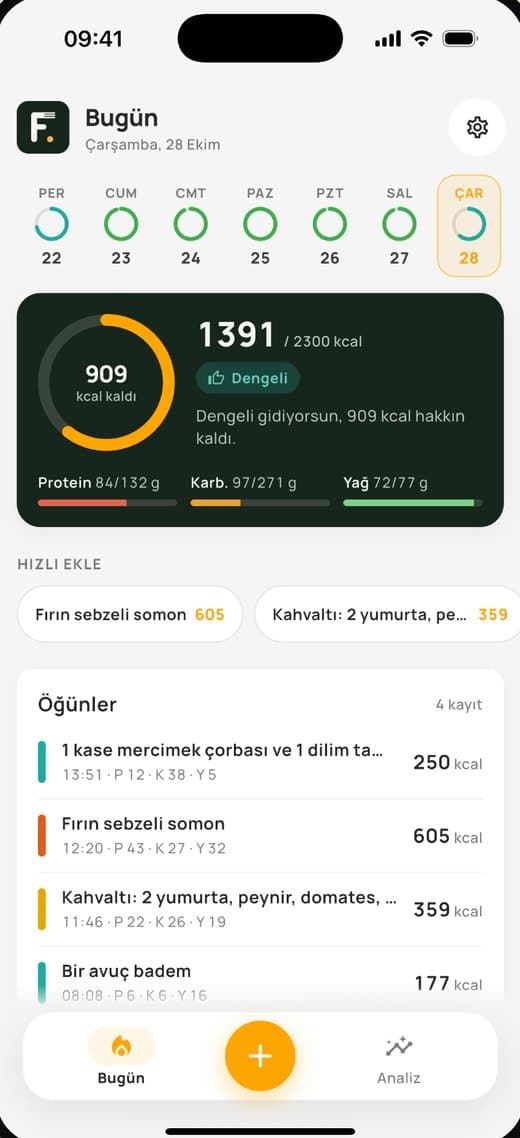
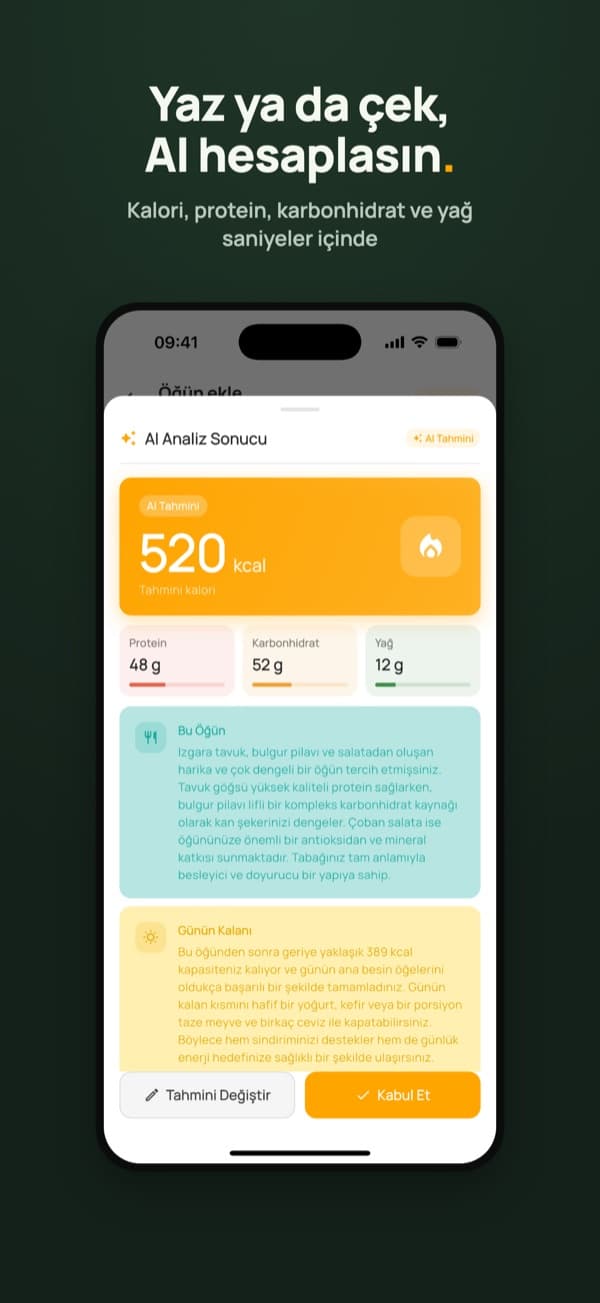
Snap a photo of your meal or simply type it in, and AI calculates calories and nutrients in seconds. Daily targets are set from height, weight, age and activity level, and weight changes are tracked with charts.
## how it works
- 01
Set up your profile
A daily calorie target is calculated from height, weight, age and activity level.
- 02
Type or snap your meal
Write something like “a bowl of lentil soup” or take a photo of your plate.
- 03
AI analyses it
Calories, protein, carbs and fat are estimated with portion size in mind, in seconds.
- 04
Track your progress
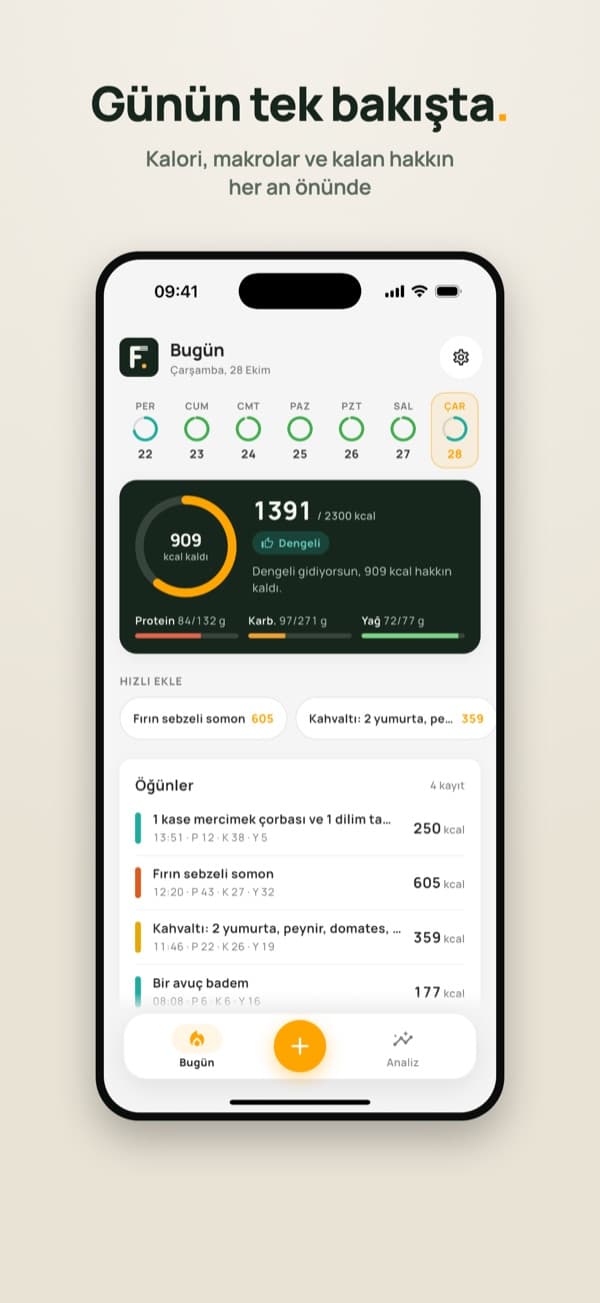
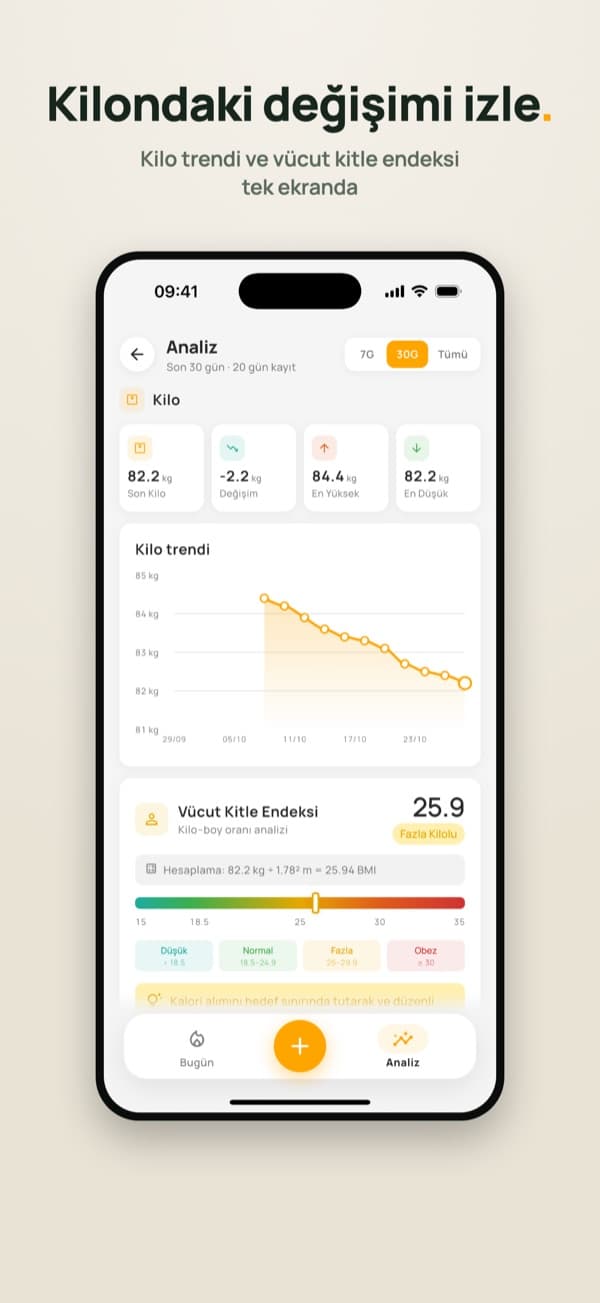
A calorie ring, weekly strip, charts and weight trend keep you on top of things.
## features
Photo or text logging
Text and image go out in one request and come back as structured data.
Macro tracking
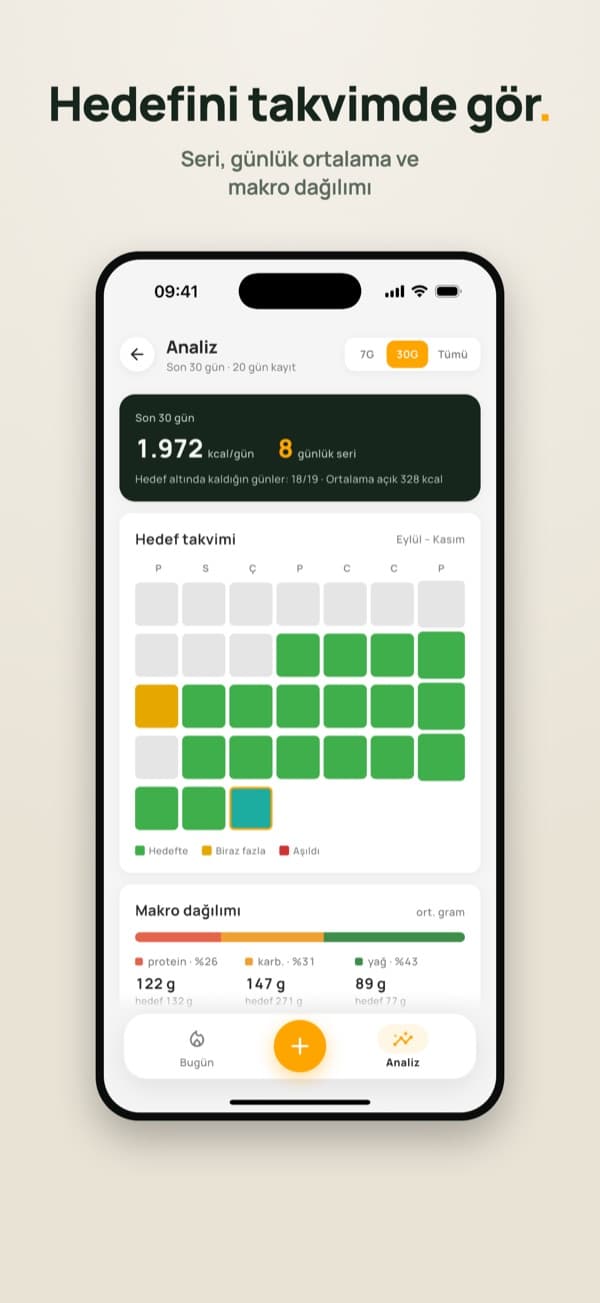
Protein, carbs and fat are stored per meal and shown as a daily breakdown.
Goal calendar & streaks
On-target days are colour-coded, with a streak counter and 7/30-day charts.
Weight & BMI
Weight entries can be added and edited, and the trend is charted.
Quick add
Frequent meals can be re-added with one tap.
No account, privacy-first
No sign-up; data stays on your device, with JSON backup and CSV export.
## screens
## technical details
tech stack
challenge
Using Gemini without shipping an API key, and preventing abuse.
solution
Requests go through Firebase AI Logic with App Check enforced (App Attest on iOS, Play Integrity on Android), plus a per-device daily AI quota.
challenge
Changing the model or limits without a store release.
solution
Model name, region, temperature and daily limits are read from Firebase Remote Config and fetched in the background at launch.
challenge
Getting reliable numbers out of an LLM.
solution
A JSON response type, a strict schema and a low temperature. An explicit error field covers blurry photos or nonsense input, with a timeout check.